
AniimoDex guide
Reference guide · Updated 31 October 2026
AniimoDex is the part of Aniiland that helps you browse Aniimo, their forms and their rarer categories without getting buried in the full game UI.


What AniimoDex is good at
- Quickly checking forms and categories.
- Viewing specialized groups like Prismana or Sparkling.
- Giving you a cleaner reference layer than the game UI alone.
- Working alongside planner features instead of replacing them.
Optional illustrated references
For detailed reading without cluttering the interactive collection, see the species, forms, Prismana, and Sparkling guides.
Start with the right view
If you are trying to check a particular Aniimo, the full list is useful. If you are comparing rarer variants, opening everything at once is a worse way to do it. The Forms, Prismana, Sparkling and Upcoming pages exist to answer different questions. They are not separate collections you need to maintain by hand. Think of them as different ways of looking at the same broad reference.
Start by deciding whether you care about collecting, identification or worker planning. For collecting, you usually want to check whether you have marked the right form. For identification, a clear picture and the correct name matter more than a theoretical ranking. For a worker plan, you need the actual abilities and trait levels, not just a picture of a rare form. Those are different tasks, and mixing them up makes the interface harder to use.
Forms, rare variants and collection progress
A species can have multiple forms, and the form shown on one card is not necessarily the only form that matters to your collection. Check the form selection before marking an Aniimo as caught. A Prismana entry is worth checking separately when you are after rare variants, while Sparkling entries have their own category. The Upcoming section can include entries whose final game availability or presentation is not settled, so treat those as reference material rather than proof you can obtain them immediately.
Collection marks are personal state. They are not a verified statement about the game's server and they should not replace an actual check in your account. If you are signed in and have sync enabled, confirm the marked state appears on your other device before relying on it. If a new game patch adds forms, old saved marks may need a fresh review.
How to use the artwork properly
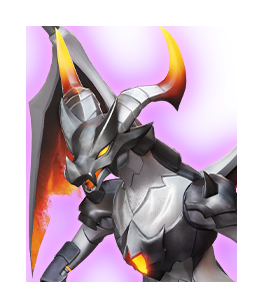
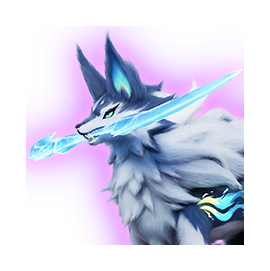
The screenshots and character art are there to make forms easier to recognize. They are not always a full-body in-game model render. Some entries use a head icon or another available game asset because there is no suitable body image yet. That is an art-coverage limit, not evidence that two forms have the same model. Check the name, category and image together, especially for very similar forms.
For a useful comparison, open two entries side by side, check the form labels, then compare their skills in the actual game or the associated worker reference. Do not assume different color art means different job abilities. When you spot a name showing a raw token or an incorrect form label, report the entry and the exact display text so the localization mapping can be fixed.
What AniimoDex does not replace
AniimoDex is a reference and collection tool. It does not prove what you currently own unless your saved state is up to date, and it is not a substitute for the Homeland worker roster. Your actual roster decides whether a planner recommendation is achievable. Use the Dex to recognize an Aniimo and understand its forms, then move to Custom Roster in Homeland when you want the solver to use the Aniimos you own.
Want to browse the full reference page? Open AniimoDex directly.
Open AniimoDex