
Worked examples: understand a plan before you copy it
Historical worked example · Planner 3.0.16 · Original review 21 October 2026 · Unofficial fan guide, not affiliated with Aniimo or its publishers
Start with a concrete decision, inspect the inputs, follow the calculation and check its limits. The example keeps its 3.0.16 input assumptions and is not a promise of an identical 3.1.7 solver result.
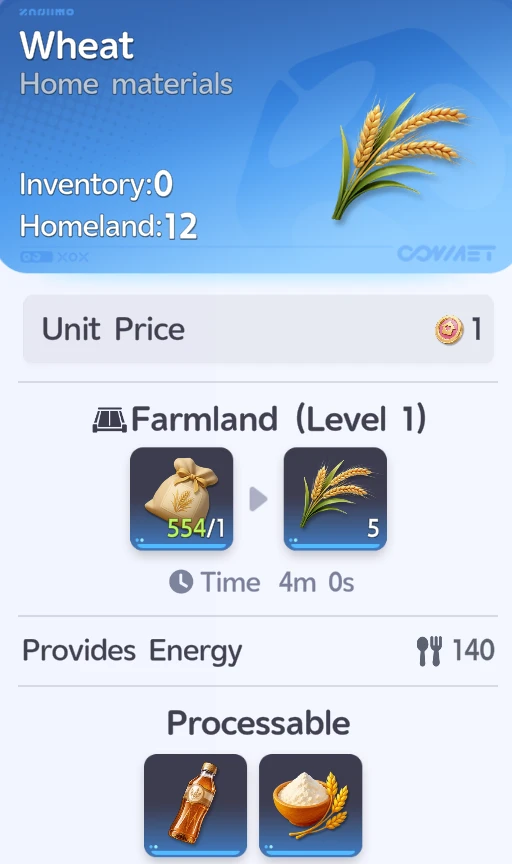
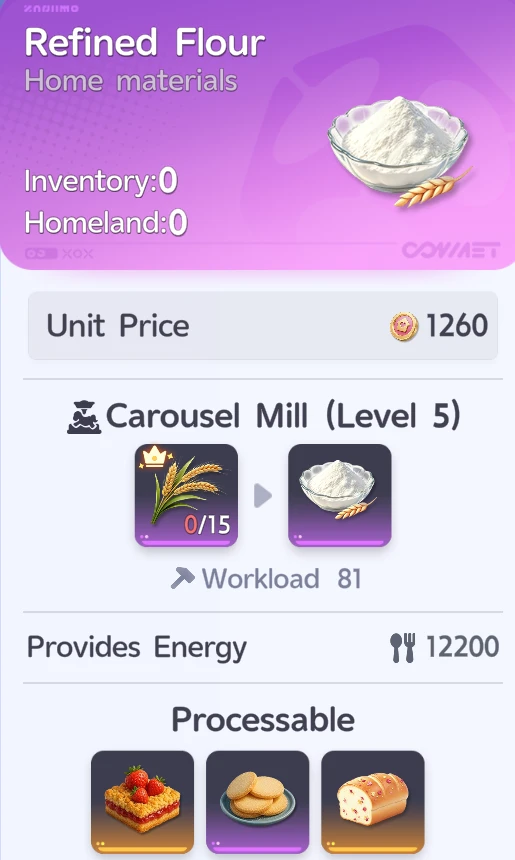

What these examples are
The examples explain calculations using the data snapshot labeled at the top of each page. The Wheat case includes an observed default planner result. The Bread and upgrade cases are explicit arithmetic and budgeting examples. They are not claims about a universally optimal setup, measured in-game income, or an unattended offline return.
How to compare your own result
Keep the RV level, goal, buildings, recipe availability, roster, worker settings, duration and owned resources the same between runs. Change one condition, then compare the full production plan. A large number on one output line can hide the cost of ingredients or capacity consumed elsewhere.
Inspect the evidence
Each recipe reference links to its recorded check flags and available screenshot. Read the evidence ledger for the distinction between a source image and an explicitly checked field. The methodology explains the solver, assumptions and remaining gaps.
Want this worked out for your own Homeland? The planner takes your RV level, goal and Aniimo workers and calculates the production plan for you.
Open the plannerAll guidesWhat a worked example should prove
A worked example is not just a final number. It should show the starting inputs, the calculation, the assumptions and what could make the result change. If any of those are missing, the number is hard to trust. That is the point of collecting the examples here instead of relying on isolated screenshots of the solver output.
The Wheat case demonstrates how a shorter grow timer changes throughput. The Bread case demonstrates why a high sale price is not the same as high additional profit. The RV upgrade case demonstrates why the slowest outstanding material can delay an upgrade even after you have enough coins. Each answers a different question players regularly run into.
Use one controlled change per comparison
Suppose you want to know if watering is worth it. Compare the same farmland count and crop with watering on and off. Do not also change your worker roster or swap crops, because then you cannot tell which change produced the difference. Similarly, when comparing a recipe, keep the ingredient supply and facility setup consistent. Otherwise you might be comparing two completely different production chains rather than two choices inside one chain.
Check gross value against net value
A product can have an attractive sale price while consuming valuable ingredients that could have been sold or used in another recipe. Add the ingredient opportunity cost and the work required before declaring it profitable. That is especially important when several recipes compete for the same crop, Well or processing facility. A recipe with a good unit margin may still be a weak choice for your daily goal if it uses too much limited facility time.
The Bread example goes into that distinction in detail. It also explains why the planner may prefer to sell inputs directly rather than craft everything into the most expensive finished item available.
Work toward a reproducible plan
When you report a discrepancy, note the build version, RV level, goal, duration, facility counts, worker mode, owned resources and event settings. Include the output that surprised you. Another person should be able to enter those settings and see the same result, or determine exactly which game-data version changed it. That is a much stronger bug report than an isolated screenshot of an incorrect total.
These pages keep their original 3.0.16 labels on purpose. A later game patch can change crop timing, recipes or workers, so silently rebranding the arithmetic as a brand-new live test would be misleading. Use the process and limitations from the examples, then verify today's numbers with the live planner and current game data.